
Your Roadmap to an Organized Life
Dump everything in — thoughts, photos, voice memos, confirmation numbers — without stopping to organize any of it. Optional AI titles it, files it, and answers your questions from it. And every note stays a plain Markdown file on your machine: yours forever, with or without the app.
Free, no ads · No account required · Works completely offline
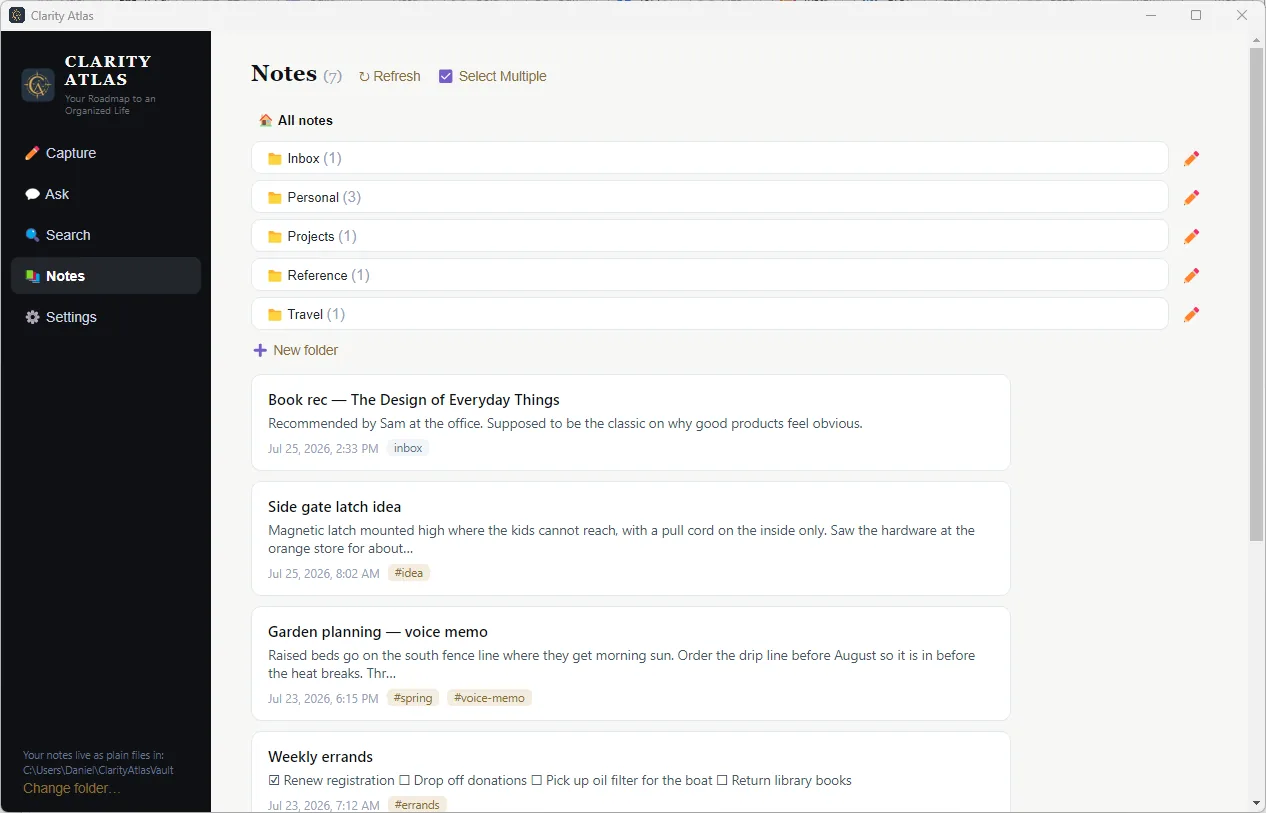
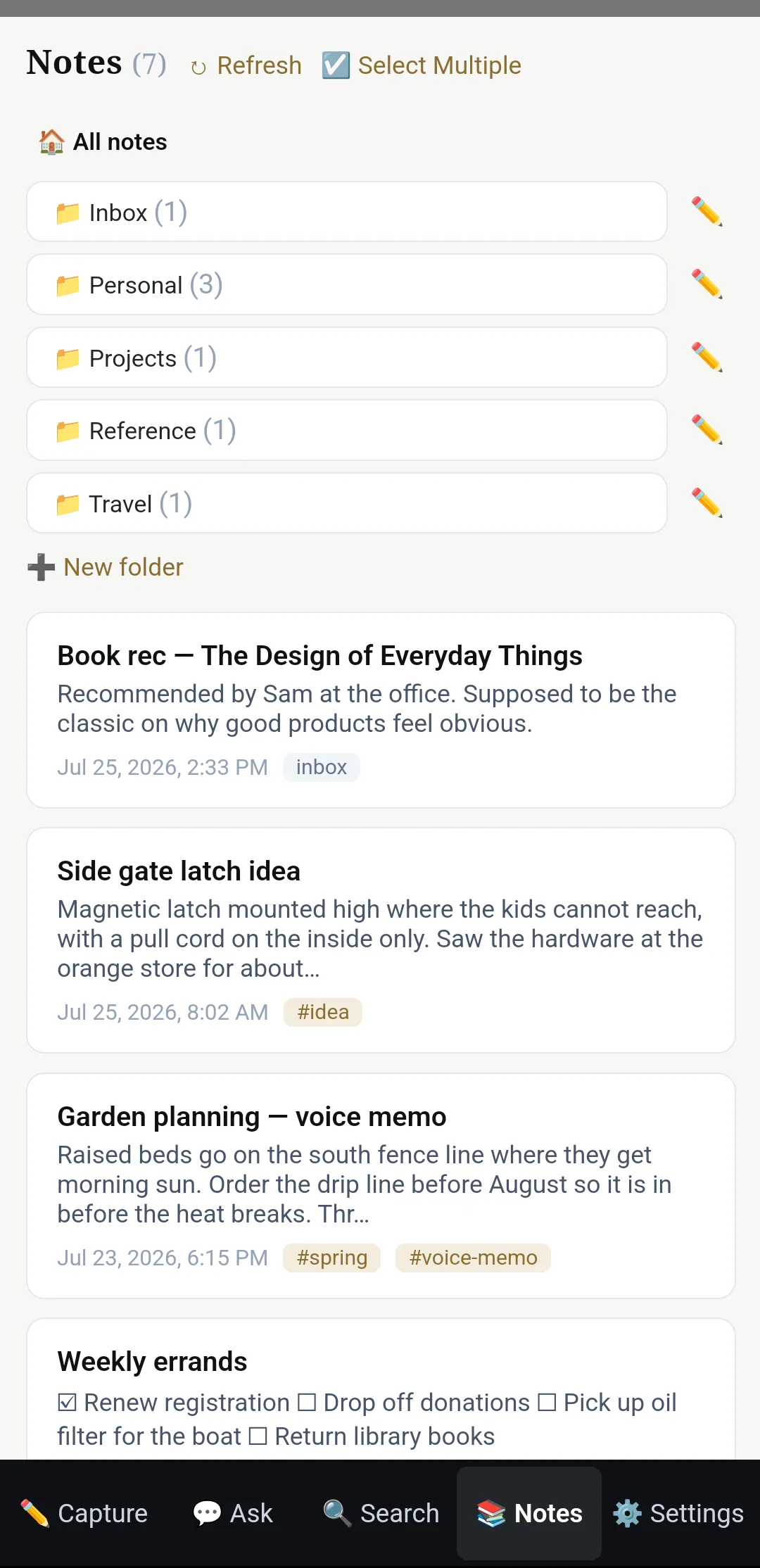
Actual screenshots — Windows and Android, same vault.
All the leverage of AI. None of the blind trust.
Most AI note apps ask you to pour your life into their cloud and hope for the best. Most "own your files" apps make you do all the organizing yourself. Clarity Atlas refuses to make you choose.
AI does the filing
Capture without ceremony. The AI titles your notes, tags them, and sorts them into your folders — every action logged and undoable. Sorting alone gives you hours back.
Ask instead of digging
"What did the contractor quote for the deck?" Get answers pulled from your own notes, with the source notes cited — no scrolling, no remembering where you put it.
Plain files, forever
Every note is an ordinary Markdown file. Any editor opens them today; any editor will open them in 30 years. No account, no lock-in — your vault is already the export. On Windows it's a folder you picked and can browse right now; on Android, Settings → Backup hands you the whole vault as a .zip wherever you want it.
Yours even offline
Internet down? Provider outage? Your notes are still sitting on your device — already sorted, because the AI did it for you — and on-device search finds them instantly.
"I dump every piece of information I think I might ever need into Clarity Atlas and never look at the notes again — I just ask for it. But I also know that if I need them, they're right there: plain files on my machine, sorted, searchable, mine."
— Daniel Hodgins, creator of Clarity Atlas
A second brain that keeps up with a busy life
Capture in seconds
Type it, photograph it, or say it. Home-screen widgets capture a note or a voice memo without even opening the app.
Voice memos become real notes
Rambling recordings come back as clean, titled, legible notes — with the original audio kept alongside.
optional · uses your AI keysFiles itself
The AI reads new captures and files them into your folders, with every action logged and undoable. Or keep it manual — your call.
optional · uses your AI keysAsk your notes anything
Question answering grounded in your own notes — "what did the contractor quote for the deck?" — with sources cited.
optional · uses your AI keysSearch that's instant
Full-text search over thousands of notes, entirely on-device, ready the moment the app opens. No connection required.
Checklists on your home screen
Pin any note or checklist as an Android widget. Tick items off without opening the app; changes sync everywhere.
Notes that clean up after themselves
Flag short-term notes — confirmation numbers, parking spots — to auto-delete in a week, a month, or on a date you pick.
Sync on your terms
Point desktop and phone at a bucket you own — or let Clarity Atlas Cloud handle it — and they stay in step, conflict-safe by design, with deletions requiring proof of intent.
A real privacy switch
Mark a note local-only and it is never sent to any AI service. Add an encryption passphrase and it syncs as ciphertext too — attachments included.
How it works
Install and write
No account, no setup required. Your first note is a Markdown file on your device within a minute.
Add AI if you want it
Bring your own API keys — guided, step by step — to unlock auto-filing, transcription, and question answering. Or let Clarity Atlas Cloud handle it with zero setup. Skip both and everything else still works.
Sync across devices
Connect a storage bucket you own, or use Clarity Atlas Cloud, and your vault follows you — desktop, phone, and any machine you add later.
See it work
No staging, no speed-up — this is the app in real time.
Get Clarity Atlas
Free, with no ads. Windows and Android today; Android is on Google Play.
Android is in open testing. That means anyone can install it from Google Play, and it means we're still listening hard. If something is broken, confusing, or just annoying, please tell us — criticism is more useful to us right now than praise, and we read every word. support@clarityatlas.app
Windows
Unsigned build: Windows SmartScreen may ask you to confirm — choose “More info → Run anyway.”
Android
Free, with no ads. Clarity Atlas Cloud is an optional $6.99/month subscription with a 14-day free trial — everything else is free and needs no account.
Installing through Play keeps you on automatic updates, and it's the only route that can carry a Clarity Atlas Cloud subscription — Google handles the billing.
Web reader
For Clarity Atlas Cloud subscribers: a read-only view of your synced notes from any browser. Your passphrase decrypts everything right in the tab — we still can't read a word.
Questions people ask
Do I need an account?
No. There is nothing to sign up for. The app writes files on your device and that's the whole relationship. An account only exists if you subscribe to Clarity Atlas Cloud.
What happens to my notes if Clarity Atlas disappears?
Nothing. Your notes are ordinary Markdown files. They open in Notepad, VS Code, Obsidian — anything. That's the point. On Windows they sit in a folder you picked and you can browse them right now. On Android, Settings → Backup exports the whole vault as a .zip wherever you choose, and sync keeps a copy in a bucket you own.
Is the AI required?
No. Capture, browse, checklists, widgets, and full-text search work with zero configuration and no internet. AI features are opt-in.
Which AI reads my notes, and when?
Only when an AI feature runs — filing a note, answering a question, transcribing a memo — and only the notes involved. Text goes to Anthropic (organizing and answers), Voyage AI (search embeddings), or Deepgram (transcription), on your own API keys or through Clarity Atlas Cloud. Notes you mark local-only are never sent to any AI provider, and nothing is sent at all until you turn AI on.
Where does sync store my data?
Your choice. Bring your own S3-compatible bucket — Cloudflare R2 or Backblaze B2, whose free tiers comfortably fit a personal vault — and your notes never pass through us. Or use Clarity Atlas Cloud, where notes are encrypted on your device with a passphrase only you hold before they're uploaded, so the stored copies are unreadable without it.
What does "local-only" do?
A per-note switch that guarantees the note is never sent to any AI provider. Set an encryption passphrase and those notes also sync as ciphertext — note text and attachments both. Clarity Atlas Cloud always requires a passphrase, so there everything is encrypted before it leaves your device.
Can I read my notes in a web browser?
Yes — Clarity Atlas Cloud subscribers can open portal.clarityatlas.app from any computer. It's deliberately read-only: a viewer for when you're away from your own devices, not a second editor — writing and editing stay in the app. Link a browser once with a code from your app, or set a username and password for signing in later. Either way your encryption passphrase is the last step, and it does its work entirely inside the browser tab: notes, photos, and voice memos are decrypted on your screen, never on our servers. Browser sessions don't count toward your five linked devices, and the reader locks itself after fifteen minutes idle.
Is it on the Play Store?
Yes — Android installs from Google Play, currently as an open test, which anyone can join straight from the store listing. Play is the only route we offer now: it keeps you on automatic updates, and it's the only way Clarity Atlas Cloud subscriptions can work, since Google handles the billing. iPhone isn't available yet — add your email and tick the iPhone box to vote for it.
What does "open testing" mean — is it finished?
It means the app is complete and safe to use daily — your notes are plain Markdown files on your own device throughout — but it's new, and we'd rather hear about the rough edges than pretend there aren't any. Open testing is Google Play's public track: no invitation, no waiting list, and updates arrive normally. What we want back is candid feedback. Tell us what broke, what confused you, what you expected to happen instead — the negative reports are the useful ones, and they go straight into the next release. support@clarityatlas.app
What does it cost?
The app is free and shows no ads. If you bring your own AI keys, those providers bill you directly at cost — typically pennies a day. Clarity Atlas Cloud is an optional $6.99/month subscription that bundles AI and sync, so you don't need any keys of your own, and unlocks the web reader — your synced notes, read-only, in any browser — 14-day free trial, one subscription covers up to five devices, with 10 GB of encrypted sync storage and monthly fair-use AI limits sized for heavy personal use (details in the Terms).